

When the internet goes dark, your computer still has answers
World Without Web puts an offline library, street maps of every state and Wilson, an AI, on the computer you already own. It all works with no signal.
Get the download $49.50 a year, half price during Early Access. Nothing charges on its own.
Don't want AI on your computer at all? The no-AI download is $24.99 a year during Early Access.
Early Access is open: both downloads are half price through December 3. For Windows 10 or 11, or a computer running Linux Mint. Won't run on your computer and we can't fix it together? Full refund within 30 days.

About 220 GB comes with it: Wikipedia in English with its pictures, street maps of every state, FDA labels for 103,202 medicines and a shelf of Army field manuals. You don't make an account, and nothing about you leaves the computer.
Who it's for
Anyone who can't count on a signal: a family when the grid is down, a missionary past the last cell tower, a school with no line, a rescue team after the storm.

Preppers and families
The power is out and the towers are quiet. The library, the maps and Wilson still answer.
See it for a household

Missionaries and churches
A medical encyclopedia, 13 Bibles and a phrasebook in 16 languages, past the last cell tower.
See it for the mission field

Schools and clinics with no internet
Wikipedia, textbooks and story books on one laptop. It needs no signal and has no monthly bill.
See it for a classroom
Emergency teams
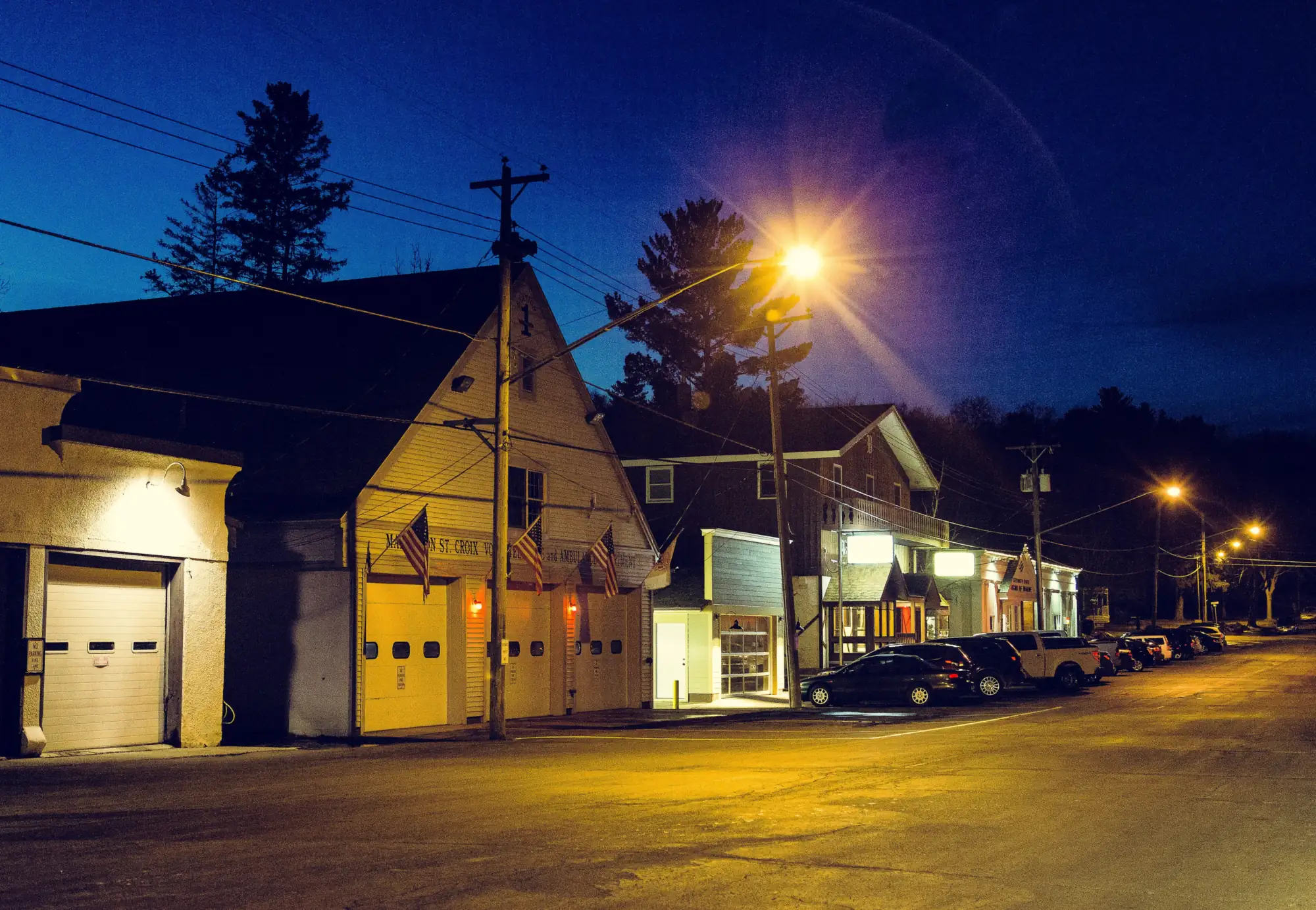
Street maps of every state, county weather alerts and a radio log, on a laptop in the truck.
See it for the field
The grid goes down more than you think
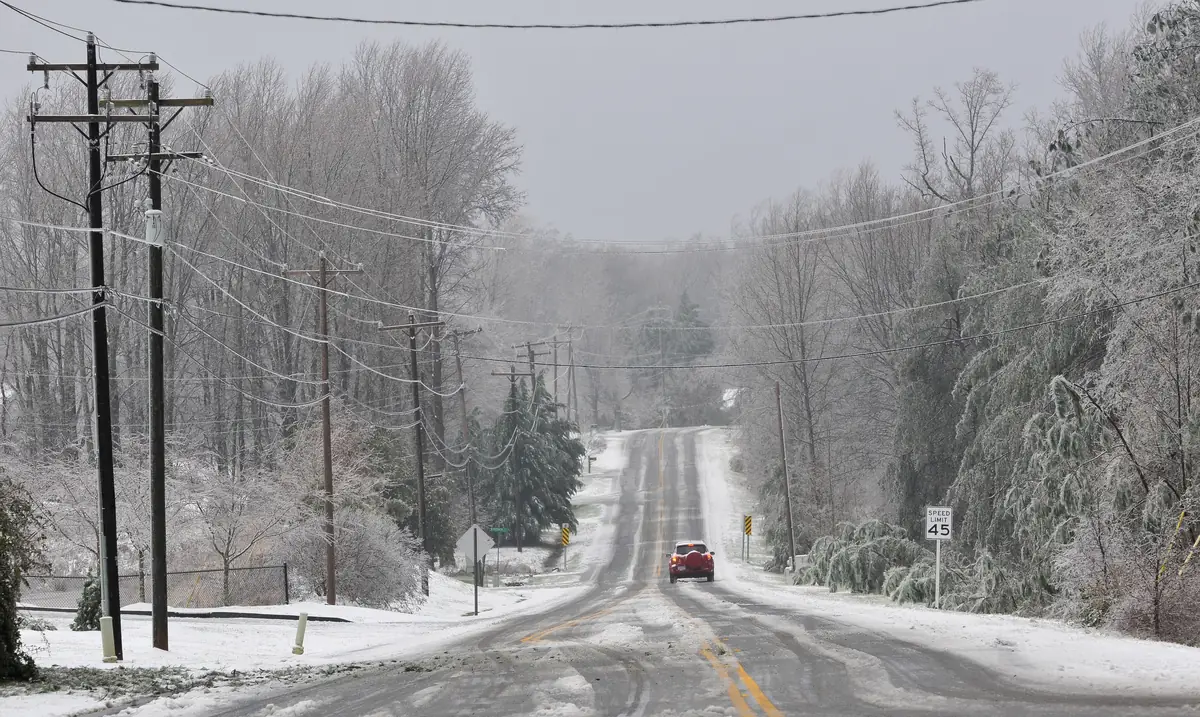
A hurricane, an ice storm or a war takes out the power. Cell towers go quiet once their backup power runs out, and search engines and chatbots go down with the internet.
World Without Web is already on your computer. It works as long as you can keep it charged.
- Parts of Puerto Rico waited about 11 months for power after Hurricane Maria in 2017.
- 4.5 million Texas homes and businesses lost power in the February 2021 freeze, many for days.
- After a nuclear blast, Ready.gov says get inside, stay inside for 24 hours unless you're told otherwise, and stay tuned.



Wilson answers from the books on board
Wilson is an AI that runs on your own computer, not in the cloud, so it works with the Wi-Fi off and the cell towers down. You don't sign in to anything.
Type a question, or hold the talk button and ask out loud, and Wilson reads the answer back.
Ask how to make water safe to drink and the first thing on screen is the Army survival manual's own words, with the page beside each line. Other answers list the pages they used, so you can open the book and check.
- Anything from Wilson's general knowledge is marked “Not from the library.”
- On health and other dangerous topics, Wilson ends its answer with a reminder to check the source before you act.
- Wilson is never a doctor. In an emergency, call 911 first.
- Have an AI model file of your own (.gguf)? Add it in Settings and pick Use this.
Don't want AI? Turn it off, or leave it out.
Setup asks once: keep Wilson, or go AI-free. In AI-free mode no AI model is downloaded and none runs. Wilson, voice and the translator are off.
Search, the library, the maps and the tools all still work. You find things by your own words. One switch in Settings changes it back any time.
Want it gone for good? The no-AI download has no AI in its installer and its updates never add one. It's $24.99 a year during Early Access.

A whole library, already on board
It all comes with World Without Web. One search covers every book.
Have Kiwix files of your own (.zim)? Add them to the shelf and the search covers them too.
- Wikipedia in English, with pictures
- WikiMed medical encyclopedia
- FDA drug labels for 103,202 products
- Wikivoyage, Wiktionary and Wikibooks
- Stack Exchange answers on DIY, gardening, the outdoors, electronics, ham radio and cooking
- Appropedia guides to water, sanitation and low-tech builds
- Textbooks by OpenStax: biology, chemistry, physics and anatomy
- US Army field manuals cleared for public release
- Ready.gov, CDC and USDA guides, canning included
- Classic farming, medicine and craft books from the public domain
- The Bible, King James and World English, and more translations
Maps that work with no signal
Street maps of every state, stored on your computer. Search for a town or a street, and drop pins for water, meeting spots and caches.
Plug in a USB GPS and a dot shows where you are. Ask Wilson “How do I get to the hospital from home?” and it lists the turns with the miles and the time, ready to print.
The rest of the world is one more download, about 140 GB.
Radio and family texts when the towers are down
Plug in a USB radio stick (an RTL-SDR) and tune any channel, scan for voices, or keep a NOAA weather channel on watch so an alert for your county pops up on screen.
The Messages tab sends texts over Meshtastic radios you own, with no cell towers and no internet. When a radio shares its spot, that person shows on your map.
A radio log and a frequency book keep track of who checked in and where.

Messages only your people can read
Type a key phrase and a message. It comes back as groups of five letters to write on paper, send in a text, flash in Morse or pass over a mesh radio.
Whoever has World Without Web and the same key phrase types the letters in and reads the message. To anyone else it's only letters. It looks like an old Enigma message, but it's modern encryption, the kind that guards bank websites. There's no master key, so we can't read one either.
Important Papers is a folder encrypted with your passphrase, for copies of IDs, deeds, insurance and prescriptions. It locks itself after five minutes without use, and its backup on a USB stick is locked too.
Only you hold your key phrase and your passphrase, so keep them somewhere safe. The FCC doesn't allow coded messages on ham bands or GMRS, and the app says so on screen.
More tools on board
The ones pictured here work with no internet and with the AI switched off.
Morse code
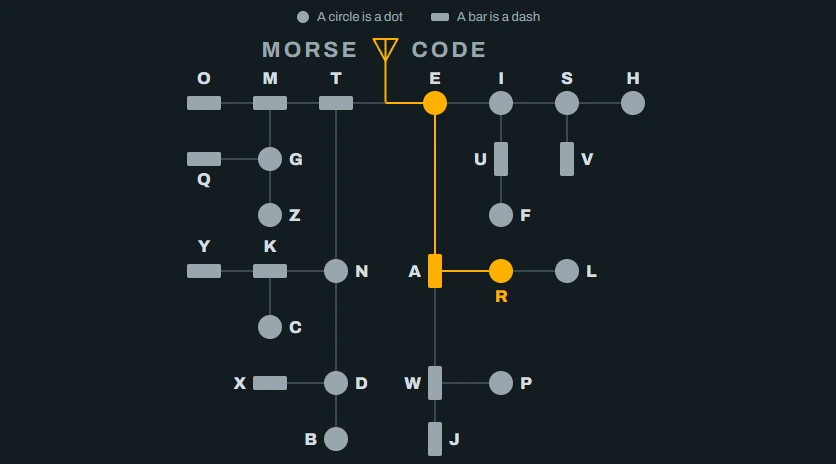
It's drawn like a pocket Morse card. Start at the antenna and follow the line to a letter: every circle on the way is a dot and every bar is a dash. Key a letter and its path lights up.
Send a message as tones or with the whole screen flashing. Tap out what you hear and read it as letters.
-
Medicines
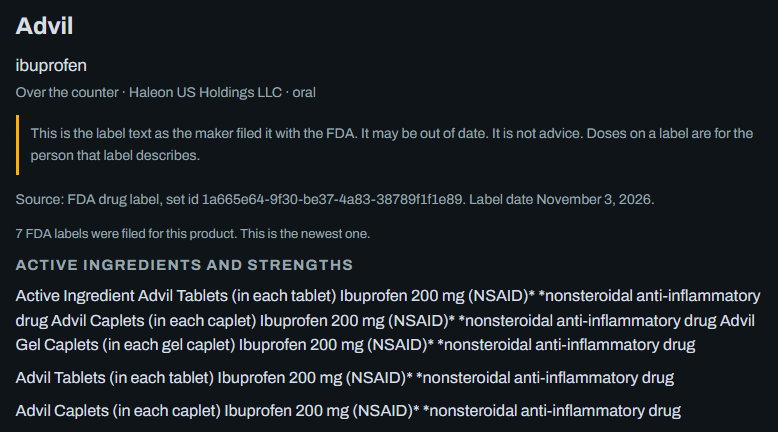
FDA drug labels for 103,202 products. Search a name and read the dosage, warnings, side effects and interactions as the maker filed them. It's label text, not advice.
-
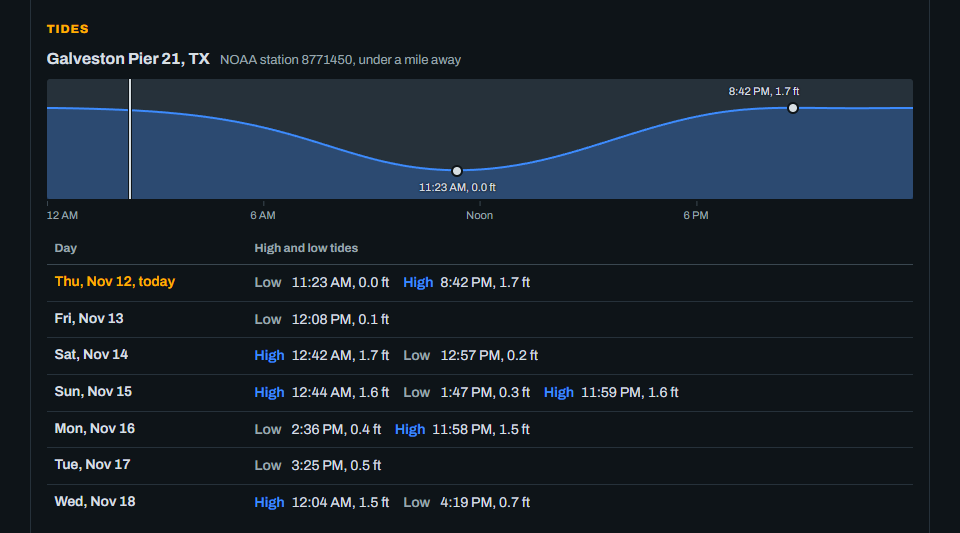
Tides
Within 50 miles of one of 1,256 NOAA tide stations, you get 7 days of highs and lows. A prediction, not for navigation.
-
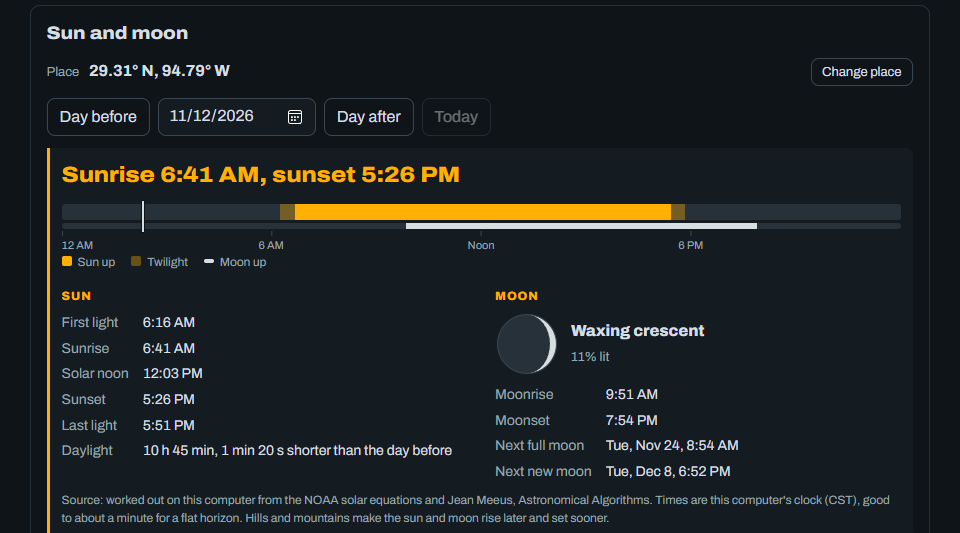
Sun and moon
First light, sunrise, sunset, last light and the moon's phase, rise and set for your spot, on any date. Worked out on your computer.
-
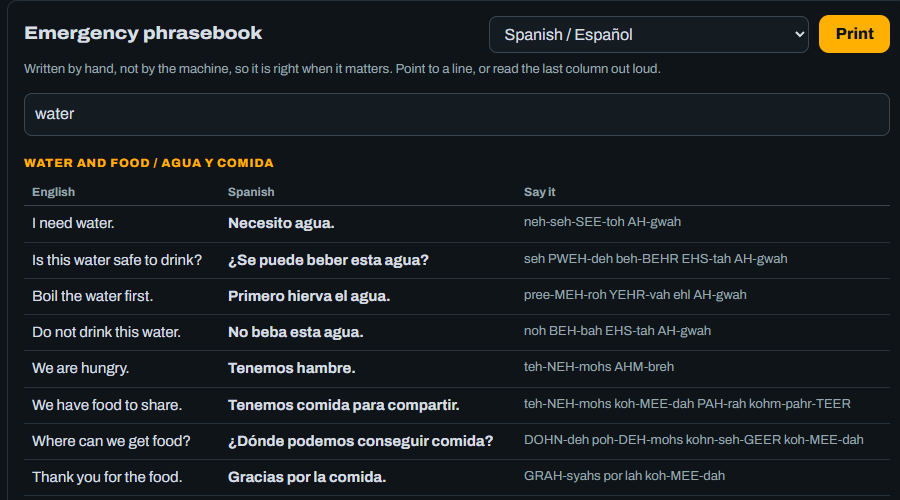
Phrasebook in 16 languages
Lines for medical help, water, food, shelter and directions, with how to say each one, and a sheet to print. Spanish, Arabic, Chinese, French, Haitian Creole, Hindi, Tagalog, Vietnamese and eight more.


Also on board
| Repeaters | Import your own list: a CHIRP file or a spreadsheet from a repeater directory. Sort it nearest first, save it for CHIRP, or print it. |
|---|---|
| Translate | Spanish to English with no internet. More languages add in one click while you're online. |
| Recipes | Wilson reads your supply list and gives three recipes that use the food that runs out first. |
| Important Papers | Copies of IDs, insurance and deeds, encrypted with your passphrase. The USB backup is locked too. |
| Learn | Kids' lessons, story books, and PhET science and math simulations. |
| Plans and checklists | A family emergency plan card, go-bag and first aid checklists, and calculators for water, food, solar and fuel. |
| Notes and supplies | They stay on your computer. Ask Wilson “how much water do we have?” and you get your real count. |
| Keep It Current | It updates itself when you're online. One switch turns that off, and it keeps working as installed. |
| Share with phones | Phones and tablets read the library in their browser. On Windows they use the Wi-Fi the computer is on. On Linux Mint the computer makes its own Wi-Fi. |
How it compares
You can buy or build three other kinds of offline survival library. We read the sales page of the best-known one of each kind and wrote down what it says, including where it beats us.
| World Without Web On the computer you own | A Wi-Fi library box Its own small box | An AI survival drive A USB drive you plug in | A build-it-yourself server Free software for Linux | |
|---|---|---|---|---|
| Price | $99 with Wilson, or $49.99 with no AI. A year of automatic updates is included, and it keeps working after that. Nothing charges on its own. Half price during Early Access, through December 3 | About $300, paid once | $130 to $360 by size, paid once | Free |
| What you need | A computer you already own: Windows 10 or 11, or Linux Mint, with 8 GB of memory | A phone, tablet or laptop to read it on, and an outlet or a battery for the box | A Windows or Mac computer | A Linux computer, or Windows with WSL2 set up. It recommends 32 GB of memory and a graphics card |
| Setting it up | Run one installer and click Install. Setup downloads everything for you | Turn it on and join its Wi-Fi | Plug it in and open the app | Two terminal commands, and it installs Docker. You download each part |
| All of Wikipedia | Yes, with pictures | Yes | Not listed | Yes |
| An AI you can ask | Yes. Wilson names the book and the page, and reads the answer out loud | No | Yes. It names the manual and the page. No voice listed | Optional, and it wants a graphics card. No sources or voice listed |
| Works with the AI off | Yes. One switch turns it off, or get the download with no AI in it | Yes. It has no AI | Not listed | Yes. The AI is optional |
| Street maps | Every state. Search a town or a street, drop your own pins, and see where you are with a USB GPS | Coverage not listed | Every state, plus terrain and trail maps | Yes. You download them by region |
| Turn-by-turn directions | Yes, with the miles and the time, ready to print | Not listed | Yes | Not listed |
| Supply list, recipes, checklists and a family plan card | Yes | Not listed | Not listed | Notes only |
| Family texts over radio | Yes, with Meshtastic radios you buy | Not listed | Not listed | Not listed |
| Weather alerts and radio listening | Yes*. A NOAA alert for your county pops up on screen | Not listed | Not listed | Not listed |
| Coded messages, and a locked folder for your papers | Yes. Both are encrypted with a phrase only you know | Not listed | Not listed | Not listed |
| Phones and tablets can read it | Yes. Over your Wi-Fi on Windows, or over the computer's own Wi-Fi on Linux Mint | Yes. That's what it's for | Not listed | Yes, on your home network |
| Works on a Mac | Coming soon | Yes, in the browser | Yes | No |
| Money back | Full refund within 30 days if it won't run and we can't fix it | Not on its sales page | 30-day returns | It's free |
* Requires a USB radio adapter (an RTL-SDR), which you buy separately.
We didn't find another one with Wikipedia, an AI that shows its sources, printed directions, radio texts, weather alerts and the family tools, all on a computer you already own.
We read each seller's own page between November 9 and 12, 2026. “Not listed” means the page didn't say. Products change, so check before you buy. If we got one wrong, write to support@worldwithoutweb.com and we'll fix it.
Get the download $49.50 a year, or $24.99 with no AI, during Early Access. Full refund within 30 days if it won't run on your computer.
Get World Without Web
Pick the download with Wilson or the one with no AI. Both are for Windows or Linux Mint. You pay for a year at a time, and nothing ever charges on its own.
Early Access: both downloads are half price through December 3. From December 4 they're $99 and $49.99 a year.
The download
$49.50a year
With Wilson, the AI. About 14 cents a day.
Order the downloadA full refund within 30 days if it won't run on your computer and we can't fix it together.
- The library, Wilson and street maps of every state
- One license per household, for any number of your own computers
- A year of updates. Renew if you want more; it keeps working either way
- About 220 GB in all. Download it once and it works offline from then on
The download with no AI
The same library, maps and tools from an installer that has no AI in it. No AI model is ever downloaded, and its updates never add one. Wilson, voice and the translator are left out. Same license, same year of updates, same refund.
$24.99a year
Order it with no AINot sure which? If you might ever ask Wilson a question, get the one with Wilson. Its AI switches off in Settings. A cart holds one or the other, and they're separate orders.
On Windows: download and click
- Run the installer. The link is on your order page and in your email.
- Click Install World Without Web. It checks your computer first and says in plain words if something won't work, before it copies anything.
- Pick your downloads. Setup checks the ones that fit this computer and shows the total size next to your free space. Nothing downloads until you say so.
- Ask Wilson anything. Type a question, or hold the talk button and say it.
What your computer needs
- Windows 10 or 11, or a computer running Linux Mint. Can't run Windows 11? It runs on Windows 10 too.
- 8 GB of memory
- Room for about 220 GB to hold everything. Short on room? Setup lets you pick less.
- Internet for the download. After that, none.
- Check yours in a minute. On Windows, open Settings, then System, then About: it shows your Windows version and installed RAM. System, then Storage shows your free space.
If it won't run, you get your money back
A full refund if it won't install or run on your computer and we can't fix it together. Tell us within 30 days of your purchase. Otherwise the download is final sale.
Email support@worldwithoutweb.com or call (316) 285-0204 with your order number. We try to fix it with you first. If we can't, the money goes back to your card within 7 working days.
The full terms: refunds and returns.
Ordering means you agree to our terms of sale. USB drives with everything loaded come later, and ready-built laptops in 2027.
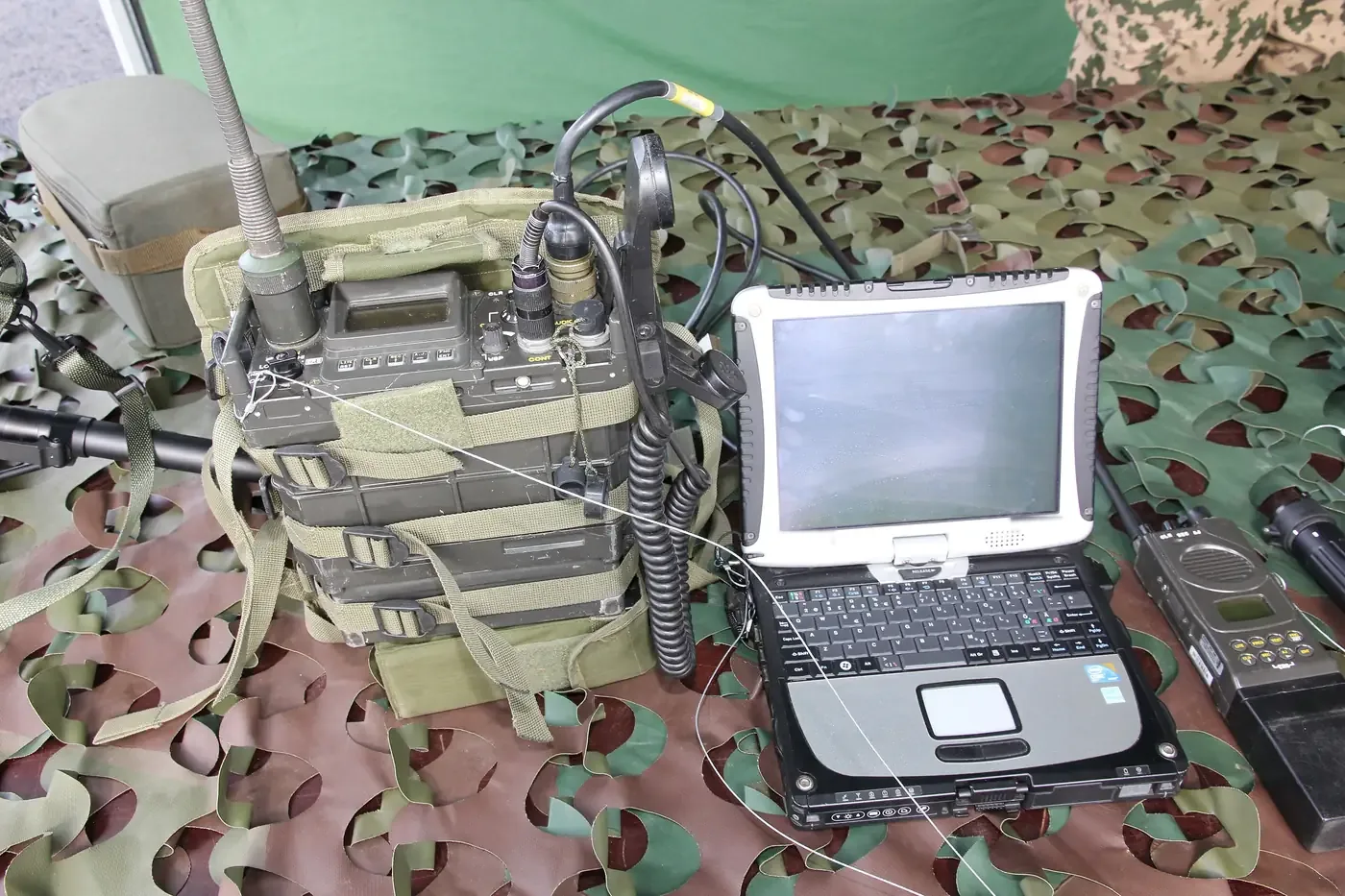
Give an old laptop a new job
Got a laptop in a closet? World Without Web installs on Linux Mint, a free system that runs well on older computers. The same download covers it.
- Make a Linux USB. Our Make a Linux USB program for Windows gets the official Linux Mint from Mint's own server, checks it, and puts it on a USB stick of yours (8 GB or more).
- Install Linux Mint. Start the old laptop from that stick and run Mint's own installer. We show every screen, and the key to press for each brand of laptop.
- Click Install World Without Web. It sets up the app, the library and free programs for documents, video, passwords and ham radio, and turns on Mint's automatic updates.
Installing Linux erases the computer
Unless you pick the option to install it alongside Windows, everything on that laptop is wiped: photos, files, all of it. Back up first. A spare laptop is best.
Questions
Does it need the internet?
No. Wilson, the library and the maps all work with the Wi-Fi off and no cell signal, and you don't need an account. You need the internet only for the download, and for updates if you leave them on.
What if I don't want AI?
You have two ways. The download with Wilson asks at setup, and one switch in Settings changes it later. With the AI off, no AI model is downloaded or run. Or order the no-AI download for $24.99 a year during Early Access: there's no AI in its installer, and its updates never add one. Search, the library, the maps and the tools work either way.
Can I trust Wilson's answers?
Wilson names the pages it used, so you can read the source yourself, the same as you would with any book. It marks anything that didn't come from the library. It isn't a doctor. In an emergency, call 911 first. More in the Wilson safety note.
Will it run on my computer?
It needs Windows 10 or 11, or Linux Mint, with 8 GB of memory and room for about 220 GB. You can check before you buy: on Windows, open Settings, then System, then About to see your Windows version and installed RAM, and System, then Storage to see your free space. The installer checks again before it copies anything. If it won't run and we can't fix it together, you get your money back.
What happens after the first year?
Everything keeps working as installed. What you pay buys a year of updates over the internet. Renew for another year if you want more, at the full price: $99, or $49.99 for the no-AI download. Nothing ever charges on its own.
Do I need a radio or a GPS?
No. The library, the maps, Wilson and the tools all work without one. Plug in a radio stick, a Meshtastic radio or a USB GPS of your own and you add radio listening, texts with no towers and your dot on the map.
Does it track me?
World Without Web sends nothing about you. Windows itself talks to Microsoft, which is out of our hands. See our privacy policy.
Can you read my coded messages or my papers?
No. Both are locked on your computer with a phrase only you know, and nothing is sent to us. There's no master key, so we can't open them, and we can't bring back a phrase you forget.
Does it work on a Mac?
A Mac version is coming soon. Today it runs on Windows 10 and 11 and on Linux Mint, and a Mac can still read the library: run World Without Web on a Windows or Linux Mint computer, and a Mac, phone or tablet on the same Wi-Fi opens the library in its web browser. An old laptop with Linux Mint does the job well (see how).
When can I order?
Now, and during Early Access both downloads are half price, through December 3. The Order buttons on this page fill your cart in our shop, and you check out there. Your download link comes by email as soon as you pay.

Get it before you need it
The library takes many hours to download on home internet. Once the lines are down, it's too late to start.
Get the download $49.50 a year, half price during Early Access. Nothing charges on its own.